3M Speedglas 9100XXi Not Darkening: Troubleshooting Guide
The 3M Speedglas 9100XXi is a premium auto-darkening filter - Natural Color Technology, four sensors, TIG rating down to 1 amp. When it stops darkening, the cause is almost always one of a handful of well-understood issues. Work through this guide in order and you will almost certainly identify and fix the problem without a service visit.
Confirm the ADF Is Powered
The 9100XXi ADF enters a power-save state after extended inactivity. Before troubleshooting, tap the shade adjustment button to wake the unit. If the indicators respond, the ADF is active. If there is no response, go directly to the battery check.
Step 1: Check and Replace the Batteries
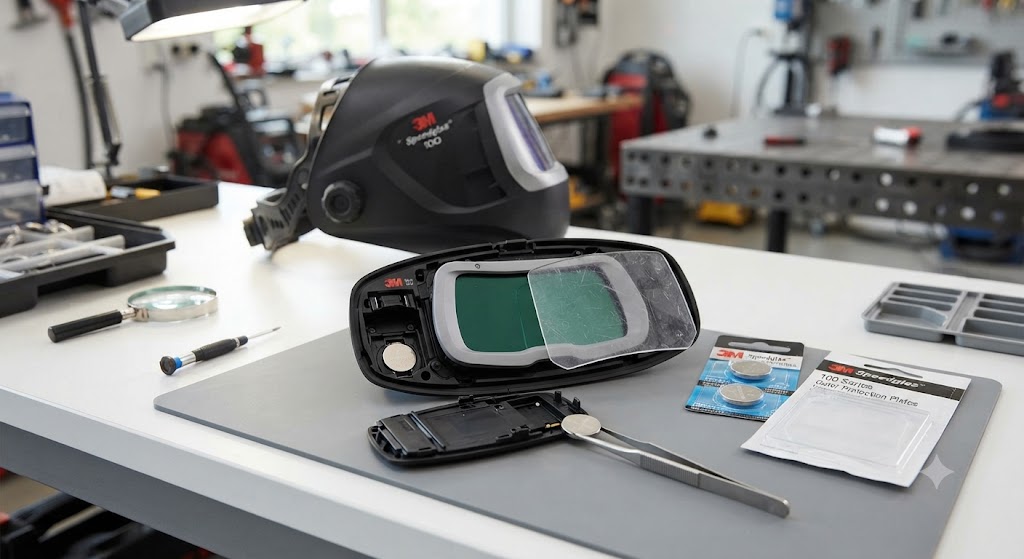
The 9100XXi ADF requires two batteries (part 04-0320-00). The batteries are housed in the headband assembly, not the ADF cartridge itself - this is a different design from Miller or Lincoln helmets where the battery tray is on the ADF cartridge.
To access the batteries:
- Locate the battery holder on the headband (typically a small compartment on the inner headband assembly near the crown)
- Open the battery holder cover
- Remove both old batteries and install two fresh 04-0320-00 batteries in the correct orientation
- Close the holder and test arc detection
If you are unsure of the exact location on your headband generation, 3M has instructional videos on their Speedglas YouTube channel and at 3m.com/speedglas-education.
Replace both batteries simultaneously even if only one appears depleted - they have the same use history.
Step 2: Verify Sensitivity and Shade Settings
The 9100XXi has sensitivity and delay controls accessible through the controls on the ADF cartridge or the helmet’s external adjustment points. If sensitivity is set too low, the ADF may not reliably detect low-amperage arcs.
For TIG at low amperages: The 9100XXi is TIG-rated down to 1 amp, which is exceptional, but only when sensitivity is set appropriately. Increase sensitivity toward maximum for very low-amperage TIG.
For standard MIG and stick: Mid-range sensitivity works for most applications. If the ADF is darkening spontaneously from ambient light, reduce sensitivity slightly.
Also verify the shade setting is within the appropriate range. An improperly set shade does not prevent darkening, but an extremely low shade setting (shade 5 for a process that needs shade 10) can create the impression the helmet is not darkening properly because the vision is still uncomfortable.
Step 3: Check the Grind Position Setting
The 9100XXi supports a grind mode. In grind mode, the ADF maintains a fixed low shade (typically shade 3) and does not darken further in response to arc light - by design. If the helmet was left in grind mode, it will appear to not darken when you attempt to weld.
Cycle through the operating modes and confirm the ADF is in welding mode before testing.
Step 4: Clean the Arc Sensors
The 9100XXi has four arc sensors at the corners of the ADF cartridge. These sensors detect the UV and IR light of the welding arc. Spatter residue, grinding dust, or metal fume deposits on the sensor windows reduce their sensitivity.
With the ADF powered off, use a soft lint-free cloth lightly dampened with isopropyl alcohol to clean the four sensor windows (small dark rectangles at the cartridge corners). Be gentle - do not scratch the sensor covers. Allow to dry completely before testing.
Step 5: Check Physical Obstruction of Sensors
In the 9100XXi’s headgear design, the ADF cartridge is positioned at the front of the helmet with sensors at all four corners. In certain welding positions - tight overhead work, joints in corners, or anywhere the helmet is close to a structural member - sensors can be physically blocked by the workpiece or your own body.
Test darkening in open flat-position: if the ADF darkens correctly when welding on an open flat surface but fails in the position where you experienced the problem, sensor obstruction in that position is the cause. Adjust your approach angle or body position to give the sensors a clear view of the arc.
Step 6: Consider the Outdoor Sunlight Issue
Unlike Miller helmets which offer X-Mode electromagnetic detection, the 9100XXi uses optical sensing only. In direct sunlight, strong ambient UV can pre-trigger the ADF (darkening before the arc) or, in some configurations, desensitize the sensors to the arc’s relative brightness.
For outdoor welding with the 9100XXi:
- Use the maximum sensitivity setting
- Shade yourself and the work from direct sunlight where possible (move under an awning or position your body between the sun and the helmet sensors)
- Increase the shade setting to reduce glare-related desensitization
The 9100XXi does not have an electromagnetic detection mode, so outdoor use in bright sunlight is a genuine limitation compared to helmets with X-Mode.
Step 7: Check the Headband Battery Holder Contact
The 9100 series battery design routes power from the headband battery holder to the ADF cartridge through a connection point. If this connection is dirty, corroded, or making intermittent contact, it can cause erratic ADF behavior that mimics battery failure even with fresh batteries.
With fresh batteries installed, check that the connection between the battery holder and the ADF wiring is clean and fully seated. If there is visible corrosion on the connector pins, clean with a dry cloth or a cotton swab and isopropyl alcohol.
Step 8: Adflo System Check (If PAPR-Paired)
If your 9100XXi is used with the Adflo PAPR system, confirm the Adflo is not interfering with ADF function. The Adflo connects to the helmet shell through the breathing tube, but power for the ADF cartridge is still provided by the headband batteries, not the Adflo. An Adflo battery failure does not directly cause ADF darkening failure, but always confirm both systems are functioning independently.
Troubleshooting Summary
| Symptom | Likely Cause | Fix |
|---|---|---|
| No response from ADF | Dead batteries | Replace both 04-0320-00 batteries |
| Darkens for bright flashes, misses low TIG | Sensitivity too low | Increase sensitivity |
| Stays at shade 3 | Grind mode active | Switch to Weld mode |
| Works flat-position, fails overhead | Sensor obstruction | Reposition; adjust approach angle |
| Pre-triggers in sunlight | Optical sensing limitation | Shade sensors from sun; increase shade |
| Intermittent without obvious cause | Battery contact issue | Clean headband battery holder contacts |
Frequently Asked Questions
Where are the batteries in the 9100XXi? In the headband assembly, not the ADF cartridge. The battery holder is a separate component on the headband accessed by opening a small cover.
Does the 9100XXi have X-Mode like Miller helmets? No. The Speedglas 9100 series uses optical arc detection only. For electromagnetic-mode detection in a Speedglas product, there is no direct equivalent. Sensitivity adjustment and sensor positioning are the primary tools available.
Why does my 9100XXi darken outdoors when I am not welding? Strong ambient UV in direct sunlight can trigger the optical sensors. This is a known limitation of optical-only arc detection. Shade the helmet sensors from direct sun or work in a shaded area.
My 9100XXi TIG rating says 1 amp. Why does it miss 5-amp arcs sometimes? The 1-amp rating is achievable at maximum sensitivity with optimal sensor exposure. If sensitivity is at mid-range and sensors are partially obstructed, even 5-amp arcs may be missed. Increase sensitivity and verify unobstructed sensor lines to the arc.
Can I replace just the ADF cartridge if it fails? Yes. The 9100XXi ADF cartridge part number is 06-0000-30i. Order from 3M or an authorized Speedglas distributor.
My 9100XXi is cloudy inside. Is it the inner cover lens? Almost certainly. Replace the inside protection plate (06-0200-30). A fogged or scratched inner lens makes the whole view appear hazy. This is a consumable part, not an ADF failure.