ESAB Sentinel A50 Not Darkening: Causes and Fixes
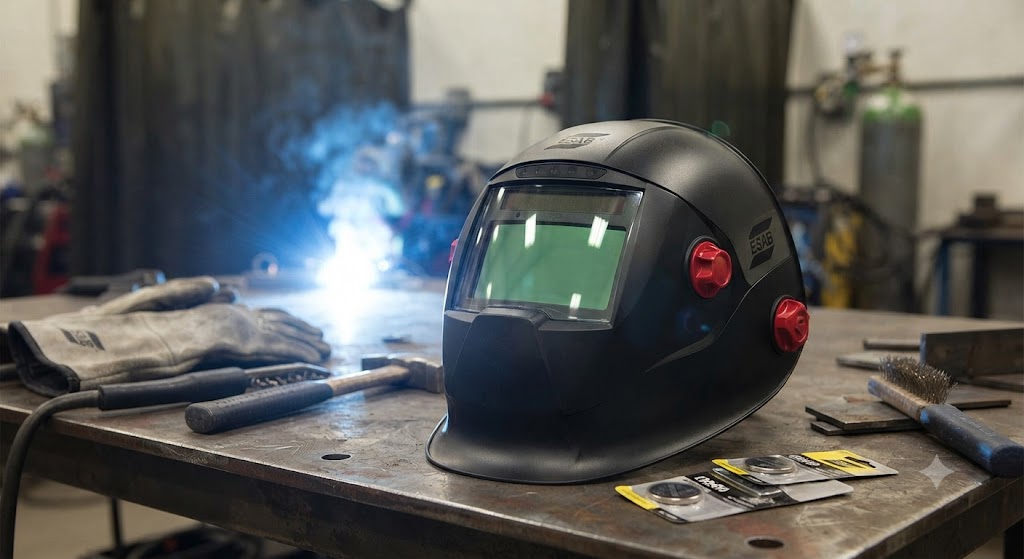
The Sentinel A50 was the helmet that put ESAB back in the conversation for serious welding PPE. Its curved shell, touch-screen interface, and wide lens earned it a loyal following. But the A50 has a real-world reputation for one annoyance: it eats batteries faster than welders expect, and a dead battery is the leading cause of the not-darkening complaint.
This guide covers every cause in order of likelihood, so you can fix it quickly and get back to welding.
What Powers the A50
Like the A60 that followed it, the A50 runs on two CR2450 3V lithium coin cells backed by a solar assist. The solar cell helps maintain the ADF state while the arc is burning, but it cannot start the helmet or maintain memory without the coin cells. When both cells drop below 2.5 volts the ADF fails.
A known problem: the A50 electronics have a parasitic drain even when the helmet is sitting unused. Measure a fresh pair of CR2450 cells a month after installation with no welding and the voltage may already be noticeably lower than new. This is not a defect exactly, but it is a design characteristic that catches welders off guard.
The Fix That Resolves 80 Percent of Cases
Replace both CR2450 cells. Even if they read above 3 volts on a multimeter, under load they may drop too low to fire the ADF reliably. Flickering, delayed darkening, and no darkening at all can all trace back to cells that measure fine at rest but fail under the burst demand of switching.
When you replace:
- Use two fresh cells of the same brand
- Confirm polarity before closing the compartment
- Press the cells firmly into the holder until you feel contact with the spring terminals
After replacing, hold the touch-button for a few seconds to confirm the helmet wakes up. The shade indicator should appear on the internal display.
Sensitivity Is the Second Most Common Cause
The A50 sensitivity control is buried inside the touch-screen interface, which means it can get changed accidentally when welders are adjusting other settings. If sensitivity is at minimum, the ADF will not respond to low-amperage arcs or arcs struck at an angle.
Navigate to the sensitivity setting and raise it to the upper half of the range. For GTAW and GMAW at low amperage, maximum sensitivity is appropriate. For outdoor SMAW in bright conditions, mid-range works better.
If the lens started darkening and then stopped, and the batteries are fine, sensitivity change is the second thing to check.
Grind Mode: Easy to Activate, Easy to Forget
The A50 grind mode prevents the lens from darkening. It is meant for grinding operations where you want clear vision without constant darkening from grinder sparks. If the helmet was set down in a bag or storage area with a button pressed against a surface, grind mode may have activated.
Check the mode indicator and confirm the helmet is in weld mode before testing darkening.
Arc Sensor Cleaning
The A50 has four arc sensors. They are the small dark rectangles positioned around the lens frame. Spatter and debris accumulate on them over time, especially on the lower sensors that face the work zone directly.
Wipe all four sensors with a soft dry cloth. Inspect for physical cracks. Replace the outer lens cover if it is heavily scratched or tinted from weld smoke, as reduced light transmission affects sensor performance.
The Flickering Problem
A specific A50 complaint that appears in forum discussions: the lens flickers on and off while the arc is burning. It darkens, then clears, then darkens again in rapid succession during a weld.
Flickering like this almost always points to one of two things:
- Batteries that are marginal, providing just enough voltage to trigger the ADF but not enough to sustain it
- Dirty or partially blocked sensors that are losing arc sight lines as the puddle moves
Replace the batteries first. If flickering continues, clean the sensors and test the geometry of your welding position relative to the sensors.
The Named Flaw: Parasitic Battery Drain
The A50 shares the same weakness as the A60: the electronics do not fully shut off when the helmet is not in use. If you weld infrequently, remove the batteries between sessions. This single habit extends battery life dramatically and eliminates the dead-on-first-use experience that frustrates welders who store their gear between projects.
Some A50 owners have noted that placing the helmet in a dark storage bag reduces the solar cell input, which in turn affects how often the electronics sample ambient light. Whether this actually reduces drain is debated, but removing the batteries is the reliable solution.
Checking Battery Voltage
If you want to test your cells before replacing them, use a digital multimeter set to DC voltage. A fresh CR2450 reads 3.0 to 3.2 volts. A cell below 2.8 volts under load should be replaced. If both cells measure 2.4 to 2.5 volts, they are exhausted and the ADF failure is confirmed.
When to Contact ESAB
If you have replaced both CR2450 cells with fresh name-brand cells, confirmed weld mode is active, raised sensitivity to maximum, and cleaned all four sensors and the outer lens cover, and the A50 still will not darken, the ADF cartridge itself may be faulty. Contact ESAB customer support. Helmets within warranty may be eligible for a replacement ADF or helmet.
FAQ
What battery does the ESAB Sentinel A50 use? Two CR2450 3V lithium coin cells. Both must be replaced at the same time.
How long do batteries last in the A50? With regular use, around six to twelve months. With infrequent use and no storage precautions, as few as two to three months of calendar time due to the always-on electronics.
Can generic CR2450 batteries cause problems? Yes. Off-brand CR2450 cells are sometimes slightly thinner than spec and make poor contact with the spring terminals. Stick with Panasonic, Duracell, or Energizer.
The A50 display works but the lens will not darken. Why? This is usually a sensitivity setting issue. If the display is functioning normally, the batteries are fine. Check that sensitivity is not set to minimum and that grind mode is not active.
My A50 stays dark after the arc ends. How do I fix that? Increase the delay time first to rule out a sensitivity conflict, then reduce delay to a faster setting. If the lens is truly stuck dark, a hard reset by removing the batteries for 30 seconds and reinserting may clear a firmware glitch.
Is the A50 ADF replaceable? Yes, the auto-darkening filter cartridge can be replaced. Contact ESAB or an authorized distributor for the correct part number for your A50 variant.
Does the A50 work for TIG welding at low amperage? Yes, at high sensitivity settings. Raise sensitivity to maximum and confirm the ADF responds to a TIG arc before beginning production work.
What is the difference between the A50 and A60 for troubleshooting purposes? Both use two CR2450 cells and share the same core ADF troubleshooting logic. The A60 added a dedicated external grind mode button and a shade lock feature, making mode confirmation slightly easier. The battery drain issue affects both models equally.
Verified part information sourced from ESAB product documentation and user manual (Sentinel A50 Instruction Manual).