ESAB Sentinel A60 Not Darkening: Fix It Fast
You flip down the Sentinel A60, strike an arc, and the world stays bright. Your eyes get a jolt of raw arc light, and suddenly all you want is an explanation. The A60 is one of the best helmets ESAB has ever built, so when it stops darkening the problem is almost always fixable in under five minutes. This guide walks every cause in order of likelihood.
Why the A60 Stops Darkening
The Sentinel A60 runs on two CR2450 lithium coin cells plus a backup solar cell. The solar cell assists while the arc burns, but the coin cells handle startup and retention. When the cells die or lose contact, the auto-darkening filter (ADF) simply cannot switch.
Beyond batteries, the A60 has four arc sensors positioned around the lens. Block even one and the helmet may miss the arc entirely at certain angles. The sensitivity and grind mode controls add two more failure points that are easy to bump by accident.
Step 1: Check the Battery Indicator
The A60 has a dedicated low-battery LED inside the shell. If it glows red, replace both CR2450 cells immediately. Do not replace just one. Mismatched cells cause erratic behavior and can trigger the exact symptom you are troubleshooting.
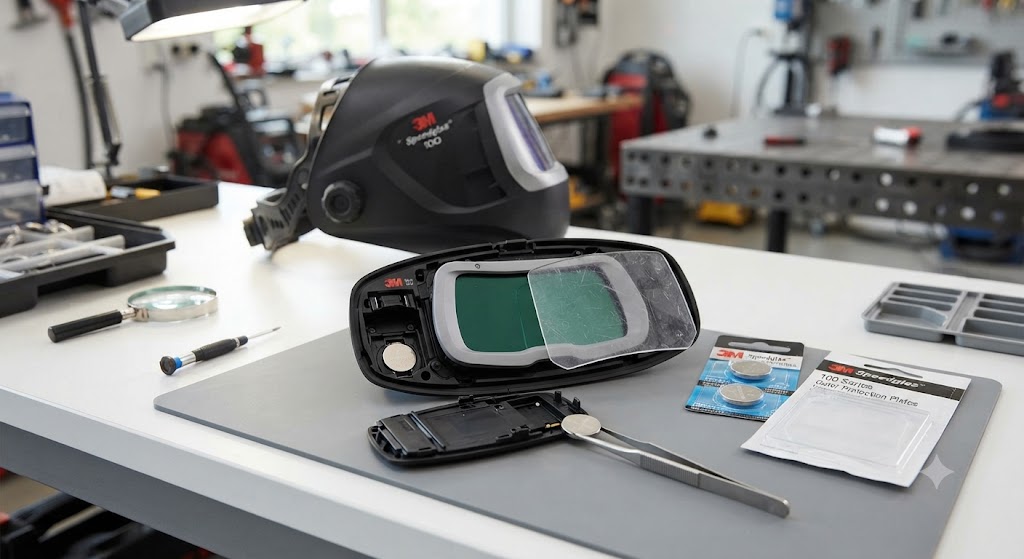
Battery compartment is on the interior of the helmet frame. Pop the cover, slide out both cells, note polarity, and press two fresh CR2450 cells in. Use name-brand Panasonic, Duracell, or Energizer cells. Generic off-brand cells are often fractionally thinner and lose contact with the spring terminals.
A known issue with the A60 and A50 families is parasitic drain. The electronics stay on even when the helmet is sitting on a shelf. If the helmet has been idle for several months, expect dead batteries regardless of how little welding you did.
Habit fix: Remove or tape over the batteries if you plan to store the helmet for more than four weeks.
Step 2: Confirm It Is Not in Grind Mode
The A60 added a dedicated external grind mode button on the shell for exactly the reason you might guess: it is easy to activate accidentally. In grind mode the lens stays light intentionally. Check the grind mode LED. If it is lit, press the grind button once to exit.
Also check the shade lock feature. Shade lock forces the ADF to stay at the darkest shade regardless of arc activity, but a reversed shade-lock activation on a light shade could theoretically prevent visible darkening. Cycle through the modes using the SET button to confirm the helmet is in weld mode.
Step 3: Adjust Sensitivity
The sensitivity control is the most commonly misdiagnosed cause. On the A60 you adjust sensitivity by pressing SET until the sensitivity symbol flashes, then using the plus or minus buttons.
Low sensitivity is designed for outdoor use where bright ambient light would otherwise trigger false darkening. If you set sensitivity to minimum inside a shop, the ADF may not respond to low-amperage arcs at all.
Set sensitivity to maximum and strike a test arc. If the lens darkens, your fix is simply raising the sensitivity to a setting appropriate for your process and environment.
Process guidance from ESAB:
- Low sensitivity: outdoor conditions, high-amperage SMAW and FCAW
- High sensitivity: low-amperage GTAW and GMAW
Under normal shop conditions, ESAB recommends a higher sensitivity setting.
Step 4: Clean the Arc Sensors
The four arc sensors are the small rectangular windows above and below the lens. Spatter, dust, and lens tint residue build up on them and reduce the amount of arc light reaching the sensor.
Wipe each sensor with a soft dry cloth. Never use solvent. Check for physical damage or cracks. A cracked sensor window lets in ambient light that confuses the ADF.
Also check the angle. Sensors need line-of-sight to the arc. Angles beyond 45 degrees relative to the arc may not provide enough light to trigger the ADF. If you weld overhead or out of position, rotate the helmet so the sensors face the work.
Step 5: Clean Lens Cover and Contacts
A badly scratched or tinted outer cover lens reduces the light that reaches the ADF. Replace the outer lens cover. The A60 has a tool-free snap-on lens system: press the two pressure points on the front lens and it releases. Snap in a fresh cover.
Also inspect the battery contacts. If the helmet was dropped, the contact springs may have shifted. Press gently with a plastic pick to re-center them before installing fresh batteries.
Step 6: Test the Sensors With an IR Remote
A quick field test recommended on welding forums: point any TV or cable remote at the arc sensors and press a button. If the lens goes dark, the ADF is working and the issue is arc detection sensitivity or geometry. If nothing happens, the ADF or batteries are at fault.
When the A60 Stays Dark After the Arc
If the opposite problem occurs and the lens stays locked dark after you stop welding, the delay control is set too long. Hold SET until the delay symbol flashes and reduce the delay time with the minus button.
The Named Flaw: Battery Drain
The Sentinel A60 has one real-world weakness that shows up in owner forums and shop conversations: it drains batteries faster than comparable helmets because the electronics never fully power down. Welders who weld infrequently and leave the helmet on the shelf find dead batteries before they expected them. If you only weld on weekends, remove the batteries between sessions.
The workaround some welders add is a physical power switch wired in series with the battery, though this voids the warranty.
FAQ
What battery does the ESAB Sentinel A60 use? Two CR2450 3V lithium coin cells. The solar cell assists during welding but cannot power the ADF alone.
Why does my A60 show low battery after I just changed it? This is often a contact issue. Make sure cells are fully seated and the spring contacts are clean. Generic CR2450 cells that are slightly thinner than spec can also trigger a false low-battery reading.
Can I use the A60 outdoors in sunlight? Yes, but lower the sensitivity setting. High ambient light from the sun can conflict with sensor reading if sensitivity is set too high.
How long do CR2450 batteries last in the A60? With regular use, roughly six to twelve months. With infrequent use and parasitic drain, as few as three months of calendar time.
What does shade lock do on the A60? Shade lock keeps the ADF at its darkest shade regardless of arc status. It is meant for situations where you need permanent shade, like Oxy-fuel cutting where the ADF might not detect the flame reliably.
My A60 flickers on and off while welding. What causes that? Flickering while welding usually means a marginal battery or a dirty sensor. Replace both CR2450 cells first. If flickering continues, clean the sensors and check for any metallic debris bridging the battery contacts.
Does the A60 have a warranty? Yes. ESAB backs the A60 with a warranty on the ADF. Check current terms at esab.com for duration and coverage details.
The IR remote test worked but the lens still does not darken when welding. What next? This usually means sensitivity is set too low for your process. Raise sensitivity to maximum and try again. If it still fails at maximum sensitivity, contact ESAB support.
Verified part information sourced from ESAB product documentation and esab.com.