Jackson TrueSight II Not Darkening: Troubleshooting Guide
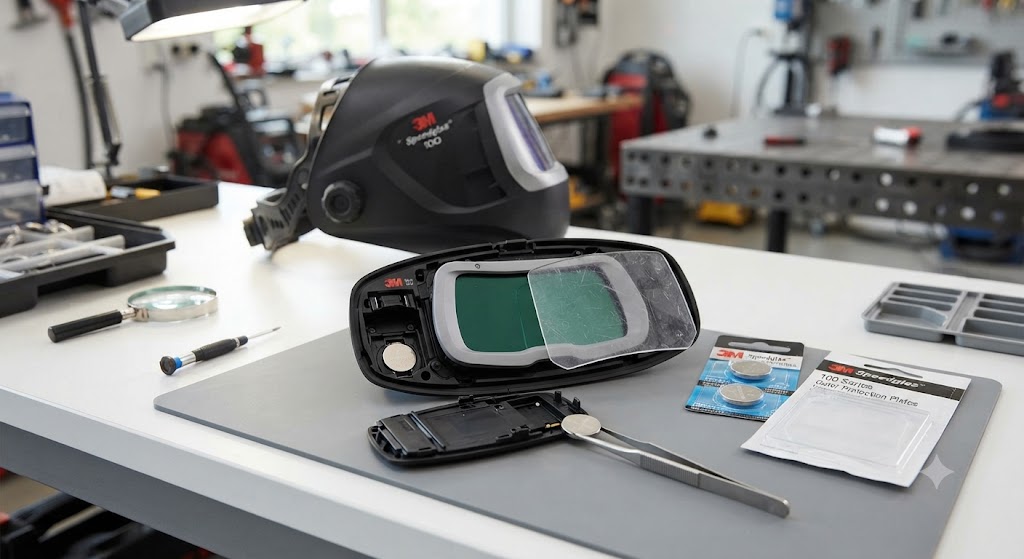
Before you do anything else: the Jackson TrueSight II uses AAA batteries, not CR2450 coin cells. This is the most common source of confusion when troubleshooting a TrueSight II that will not darken. Welders who stock CR2450 cells for their other helmets reach for one automatically and then spend twenty minutes wondering why the helmet still does not work. The TrueSight II takes two AAA lithium batteries.
With that out of the way, here is the full troubleshooting sequence.
Step 1: Replace the AAA Batteries
Open the battery compartment inside the ADF. Remove both AAA cells. Install two fresh AAA lithium batteries. Confirm polarity. Close the compartment.
AAA alkaline cells work but AAA lithium cells are preferred for welding helmets because they handle temperature extremes better and have a longer shelf life. In a cold shop in winter, alkaline cells can underperform in ways that mimic ADF failure.
The TrueSight II battery life is rated at 3,000 hours, which is excellent. But if the helmet has been stored for an extended period or the previous set of batteries were cheap alkalines, drain is still possible.
Step 2: Confirm Operating Mode
The TrueSight II has three modes: Weld, Torch, and Grind. In Grind mode, the lens stays clear intentionally. In Torch mode, the shade range is 5-8 - appropriate for oxy-fuel, but if you are striking a stick or MIG arc expecting shade 9-13 darkening, Torch mode will appear inadequate.
Use the large, clearly labeled mode buttons to navigate to Weld mode. The buttons are specifically designed to be operable with welding gloves, so check mode with your actual gloves on to simulate the conditions where accidental mode switches happen.
Step 3: Adjust Sensitivity
The TrueSight II has digital sensitivity adjustment. At minimum sensitivity, only strong, close-range arcs trigger darkening. At maximum, TIG arcs down to 3 amps trigger the ADF.
Set sensitivity to maximum and test. If darkening occurs at maximum sensitivity, reduce sensitivity back to a level appropriate for your process and environment.
Step 4: Clean the Sensors and Outer Safety Plate
The TrueSight II has four arc sensors positioned around the large 13-square-inch ADF. Wipe them with a soft dry cloth. Replace the outer safety plate (part 30320) if it is scratched, pitted, or discolored.
The TrueSight II’s large ADF means a larger outer plate surface that accumulates spatter across a bigger area. It can look superficially clean while carrying enough scatter damage to meaningfully reduce sensor input.
Step 5: Battery Contact Inspection
AAA battery compartments use spring terminals on both contacts. If the helmet was dropped, these terminals can shift. Remove both cells, press the spring contacts back to centered position with a plastic tool if needed, and reinstall.
This is particularly worth checking if the TrueSight II stopped working suddenly after being dropped or transported roughly.
The Named Flaw: Mode Button Confusion
The TrueSight II’s three large mode buttons are an ergonomic strength - gloved hands can hit them reliably. But that same accessibility makes accidental mode changes easy. A helmet tossed into a bag lens-first can have its mode button pressed by contact with other gear.
Make it a habit to check mode every time you pick up the helmet. On a helmet with three distinct modes, a quick mode check before striking takes two seconds and prevents the frustrating experience of striking an arc in the wrong mode.
When the Lens Stays Dark
If the TrueSight II darkens but will not clear after the arc goes out, reduce the delay setting. If it stays locked dark at minimum delay with fresh batteries, the ADF may need replacement. Part 46158 is the complete TrueSight II ADF cartridge.
FAQ
What battery does the Jackson TrueSight II use? Two AAA lithium batteries. Not CR2450 coin cells.
I installed fresh CR2450 batteries in the TrueSight II and it still does not work. Why? The TrueSight II does not use CR2450. It uses AAA. CR2450 cells will not fit the TrueSight II battery compartment - if you forced them in, remove them and install two AAA lithium batteries.
The TrueSight II display works but the lens will not darken. What is the cause? If the digital display is active, batteries are fine. Check mode first (confirm weld mode is selected), then check sensitivity setting.
My TrueSight II darkens but stays dark too long after welding. How do I fix that? Reduce delay using the digital controls. The delay adjustment is accessible through the same button interface as shade and sensitivity.
Does the TrueSight II auto-on feature work in dark environments? The auto-on feature activates when the arc fires. In very dark environments, ensure sensors are not blocked by shadows from your work position.
What is the ADF replacement part number for the TrueSight II? Part 46158. This is the 4.00 in x 3.25 in complete ADF replacement with 5-year warranty.
Does the TrueSight II work for plasma cutting? Yes. Torch mode provides shade 5-8 for cutting processes.
Can I use the TrueSight II for carbon arc gouging? Check the 46158 ADF specifications - some TrueSight II ADF variants list carbon arc gouging as a supported mode. Verify against your specific ADF version at jacksonsafety.com.
Part information sourced from jacksonsafety.com, cyberweld.com, and Grainger.