Jackson W40 Insight Not Darkening: Troubleshooting Guide
The Jackson Insight is a professional-grade helmet that earns its place in shops doing serious production welding. When it stops darkening, the experience is jarring. The fix is almost always one of four things, and this guide covers all of them.
Step 1: Replace the CR2450 Batteries
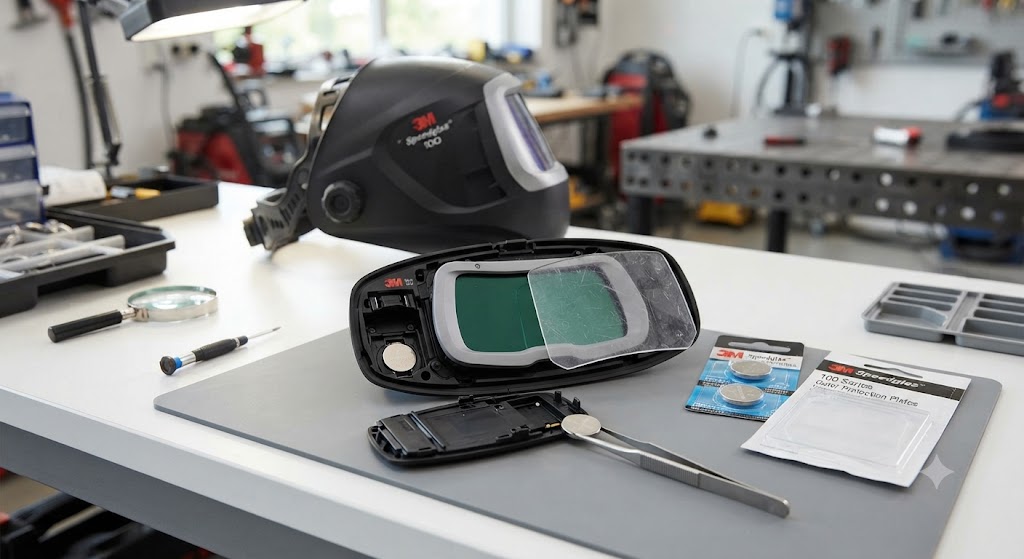
The Insight runs on CR2450 coin cells, part 15984 (pair). A depleted pair is the cause of the not-darkening complaint in the overwhelming majority of cases.
Jackson’s instruction is specific: use only Duracell or Energizer CR2450 cells. Generic off-brand cells may be slightly thinner than spec and make poor contact with the spring terminals inside the battery compartment. This causes the exact failure you are troubleshooting - the ADF appears dead even though a battery is installed.
If you installed generic cells and the helmet is not darkening, replace them with name-brand Duracell or Energizer CR2450 cells before assuming the ADF is faulty.
Installation: Open the battery compartment inside the ADF, remove both old cells, install the new pair with correct polarity, close the compartment.
Step 2: Check That Grind Mode Is Not Active
The Insight has multiple operating modes including grind mode, which holds the lens clear for grinding operations. In grind mode, the lens will not darken in response to an arc.
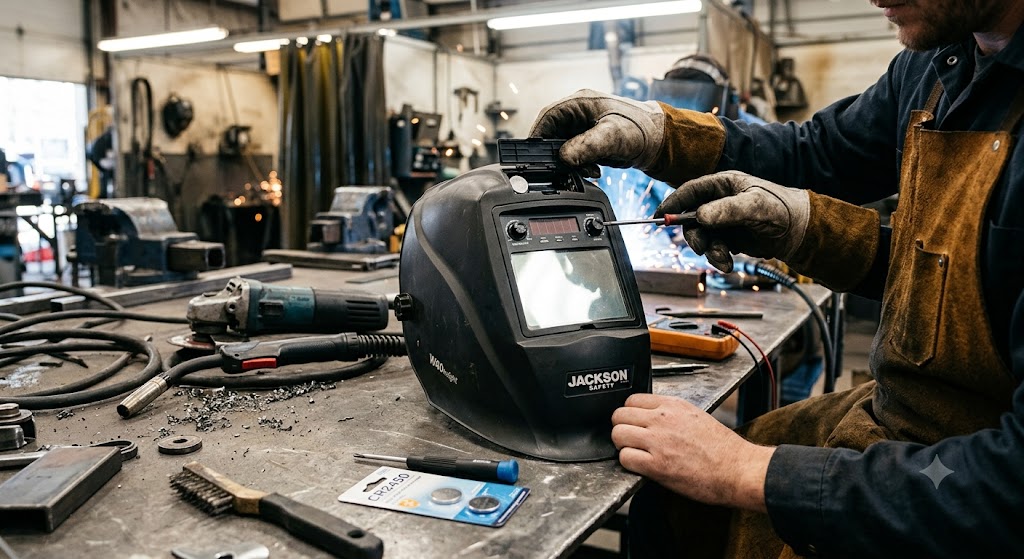
Navigate through the digital controls to confirm the helmet is in weld mode. The digital display inside the shell shows the current mode. If you are in grind or torch mode, switch to weld mode and test.
Step 3: Adjust Sensitivity
The Insight has digital sensitivity adjustment. Sensitivity controls how much arc light is needed to trigger the ADF. At minimum sensitivity, only strong arcs at close range will trigger darkening. At maximum sensitivity, even low-amperage TIG arcs trigger reliably.
Set sensitivity to maximum and test. If the lens darkens at maximum, reduce sensitivity gradually to find the appropriate setting for your process. TIG at low amperage needs high sensitivity. SMAW outdoors needs lower sensitivity to prevent false triggering.
Step 4: Clean the Safety Plates and Sensors
A scratched or spatter-coated outer safety plate reduces the light signal reaching the ADF. Swap the outer plate with a fresh one from the 41589 lens kit and test again.
Also wipe the arc sensor windows with a soft dry cloth. Sensor contamination gradually reduces ADF responsiveness without any single obvious moment of failure - it is easy to overlook.
Step 5: Check Battery Contact
If the Insight has been dropped, the battery contacts may have shifted. Remove both cells, inspect the spring contacts, re-center them gently if needed, and reinstall. Poor contact caused by mechanical shock is a common cause of sudden not-darkening failure in helmets that were otherwise working fine.
The Lens Stays Dark
If the Insight darkens correctly but does not clear after the arc goes out, the delay is set too long. Reduce delay using the digital controls. If the lens remains locked dark at minimum delay, remove batteries for 30 seconds, reinstall, and test. A persistent locked-dark ADF with fresh batteries is a sign of ADF failure.
ADF Replacement
If all troubleshooting steps have been exhausted with fresh name-brand batteries, the ADF cartridge may be faulty. Replacement ADF for the W40 Insight: part 46128.
The 46128 is a complete replacement unit with all electronics, sensors, and the battery compartment. It installs into the existing W40 shell without requiring new headgear.
FAQ
Why did my Jackson Insight suddenly stop darkening? Deployed batteries or accidental mode change are the two most common causes. Check mode first (30 seconds), then replace both CR2450 cells (part 15984).
I installed new CR2450 batteries but the Insight still does not darken. What now? Confirm the batteries are name-brand Duracell or Energizer. Generic cells may be too thin for proper contact. If using genuine cells and still no darkening, check sensitivity setting and mode, then clean sensors.
The Jackson Insight darkens but takes too long to clear. Is that the battery? No. Slow clearing is a delay setting issue. Reduce delay using the digital controls inside the ADF.
Does the Insight work for low-amperage TIG welding? Yes. The Insight is compatible with low-amperage TIG. Set sensitivity to maximum for best TIG detection.
Can I use the Jackson Insight outdoors in sunlight? Yes, but reduce sensitivity. High ambient light can cause false triggering at high sensitivity settings.
What is the ADF replacement part number for the Jackson W40 Insight? Part 46128. This is the complete replacement ADF cartridge.
Does the Insight have solar charging? Yes. The Insight ADF uses both lithium battery and solar power. The solar cell assists during welding but cannot replace the battery for startup and memory functions.
How often should I replace the outer safety plate on the Insight? In production environments, as often as every few weeks. In occasional-use shops, every few months. Replace whenever visibility or sensor responsiveness seems reduced.
Part information sourced from jacksonsafety.com and cyberweld.com.
The Battery Contact Issue: A Common Hidden Cause
One failure mode that catches Insight owners off guard: the helmet works for months, gets transported in a bag or toolbox, takes a minor knock, and stops darkening the next session. The ADF appears dead. The display may still show mode indicators, or it may show nothing.
The cause is often displaced battery contacts rather than dead batteries. The CR2450 spring terminals inside the battery compartment can shift slightly if the helmet absorbs vibration or impact during transport. The cell is still there and still charged, but contact is intermittent.
Open the battery compartment, remove both cells, and press each spring contact back to its centered position with a plastic tool or a fingernail. Reinstall the cells firmly. This takes 90 seconds and resolves contact-related not-darkening without spending money on new batteries.
Setting the Insight Up for Multiple Processes
The Insight’s digital controls mean you can optimize for different welding processes with a few button presses:
For MIG/GMAW: Shade 10 or 11, sensitivity mid-to-high, moderate delay. For TIG/GTAW at low amperage: Shade 9-10, sensitivity at maximum, short delay. For SMAW outdoors: Shade 11-12, sensitivity reduced to mid-range to prevent false triggering from sunlight.
Once you have found good settings for your primary process, note them down. If the battery is ever replaced and settings reset, you can restore your preferences quickly.