Hobart 770890 Not Darkening: Troubleshooting Guide
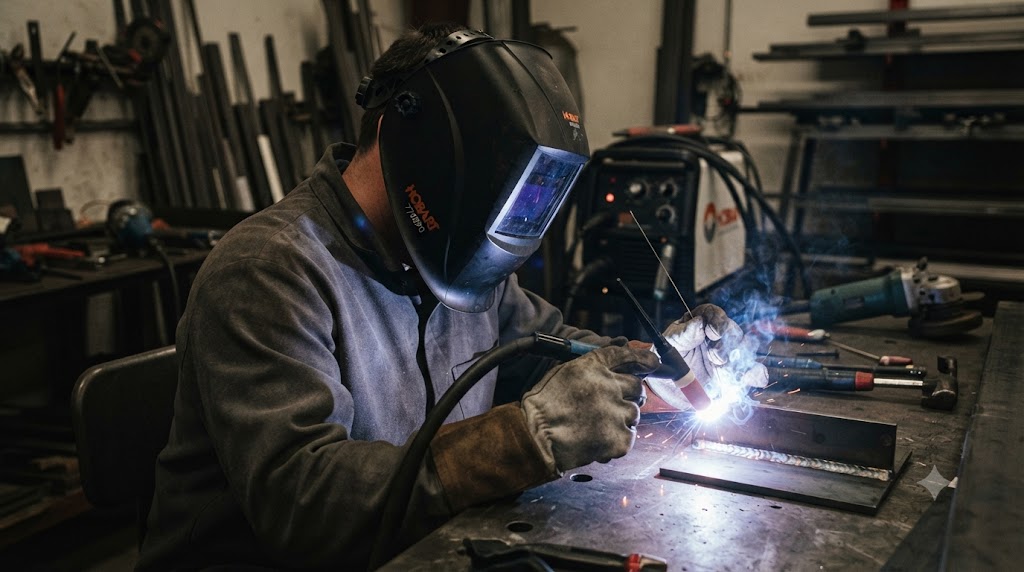
The Hobart 770890 is built to darken reliably every time you strike an arc. When it stops, the cause is almost always something you can fix in under five minutes at the bench. Here is the complete troubleshooting sequence.
Start With the Low Battery Indicator
The 770890 has a low battery indicator LED inside the shell. Check it first. If it is lit, replace the CR2450 (part 217043) immediately.
Even if the indicator is not lit, a battery that is reading 2.7 volts at rest may still fail under the burst load of ADF switching. If the helmet has been sitting for months, replace the battery regardless.
Replacement is tool-free: open the compartment on the ADF interior, swap the cell, confirm polarity, close the cover.
Grind Mode Check
The 770890 has a grind mode that holds the lens clear. If grind mode is active, the lens will not darken regardless of how close you are to the arc.
Look for the grind mode indicator. If active, press the mode button to return to weld mode, then test.
Sensitivity Adjustment
The analog sensitivity dial is on the inside of the ADF. At minimum setting, the ADF requires strong arc light to fire. This is appropriate for outdoor welding in bright sun but too sluggish for indoor low-amperage TIG or GMAW.
Turn sensitivity to maximum. Strike a test arc directly in front of the helmet so all four sensors have clear line-of-sight. If the lens darkens, the fix is simply setting sensitivity to an appropriate level for your process.
Sensor and Lens Cleaning
The four arc sensors are the small rectangular windows on the ADF frame. Wipe them with a soft dry cloth. Then check the outer cover lens.
A scratched, pitted, or smoke-tinted outer lens reduces sensor input. Replace it using the 770858 lens kit. This is often overlooked as a cause of reduced darkening sensitivity because the change in lens clarity is gradual and easy to miss day to day.
Battery Contact Inspection
If the helmet has been dropped or transported without a bag, spring contacts in the battery compartment may have shifted. Open the compartment, remove the battery, and check that both spring contacts are straight and centered. Press them gently back to position if needed. Reinstall the battery and test.
The Lens Stays Dark After Welding
If the problem is the opposite - the lens darkens normally but takes too long to clear - the delay control is set too high. The delay dial controls how long the lens stays dark after the arc goes out. Turn it toward minimum to reduce the hold time.
When to Replace the ADF
If all the above steps fail to resolve the issue:
- Fresh name-brand CR2450 installed
- Weld mode confirmed active
- Sensitivity at maximum
- All four sensors clean
- Outer and inner lens covers fresh
- Battery contacts inspected and re-centered
And the 770890 still will not darken, the ADF cartridge itself needs replacement. Part 770846 is the complete drop-in replacement for all Inventor Series models including the 770890.
FAQ
Why does my Hobart 770890 suddenly not darken after working fine? Sudden failures are almost always a dead CR2450 or an accidental mode change to grind mode. Check grind mode first (30 seconds), then replace the battery.
How do I know if my Hobart 770890 is in grind mode? The grind mode LED inside the shell will be illuminated. The mode indicator also changes on the control panel. If grind mode is active, press the mode button once to return to weld mode.
Can I use the Hobart 770890 for overhead welding? Yes. Four sensors provide wider arc coverage than three-sensor models. For extreme angles, orient the helmet so the sensors face the arc zone as directly as possible.
My 770890 flickers while welding. Is that a battery or sensor issue? Flickering during the arc is nearly always a marginal battery. Replace the CR2450. If flickering persists with a fresh cell, check for a partially blocked or damaged sensor.
What is the part number for the 770890 replacement ADF? 770846. This is the complete replacement auto-darkening cartridge for the Inventor Series.
Does the Hobart 770890 work for plasma cutting? No. The 770890 does not list plasma cutting as a supported process. For plasma cutting, use a helmet rated for cutting processes.
Is the Hobart 770890 still in production? The 770890 has been a long-running model. Check hobartwelders.com for current availability and any successor models.
Verified against Hobart Welders product documentation and Inventor Series specification sheet.
Protecting the 770890 From Shop Damage
The most preventable cause of the 770890 not darkening is physical damage to the arc sensors or battery contacts from drops and rough handling. The sensor windows are small and exposed. The battery compartment spring contacts can shift if the helmet hits a concrete floor hard.
A few habits that pay off:
- Store the 770890 in a bag or on a hook, not face-down on a shelf where the sensor windows take pressure
- When transporting, wrap it or use the original box rather than tossing it loose in a truck bed
- After any significant drop, open the battery compartment and verify contact alignment before the next welding session
None of these are inconvenient. They are the small disciplines that keep equipment working through years of shop use rather than failing after months.
Confirming the 770890 Is Fully Functional Before Starting a Job
The IR remote test is worth making standard practice before any critical job. Point a TV remote at the sensors and press a button. If the lens darkens, the ADF circuit is alive and the sensors are responsive. This test takes three seconds and confirms that the first arc strike of the day will be met with proper darkening.
For welders who have experienced a flash from a failed ADF, this habit provides confidence before every session.